> ## Documentation Index
> Fetch the complete documentation index at: https://docs.typewise.app/llms.txt
> Use this file to discover all available pages before exploring further.
# Workspace settings
> Manage workspace name, avatar, context variables, and deletion
Workspace settings let you edit a workspace's identity and declare its Context
Variables. You can access them from the gear icon in the workspace selector, or
from **Settings > Workspace**, where each workspace has its own group of pages:
**General**, **Context variables**, and
[**API keys**](/documentation/settings/api-keys).
***
## General
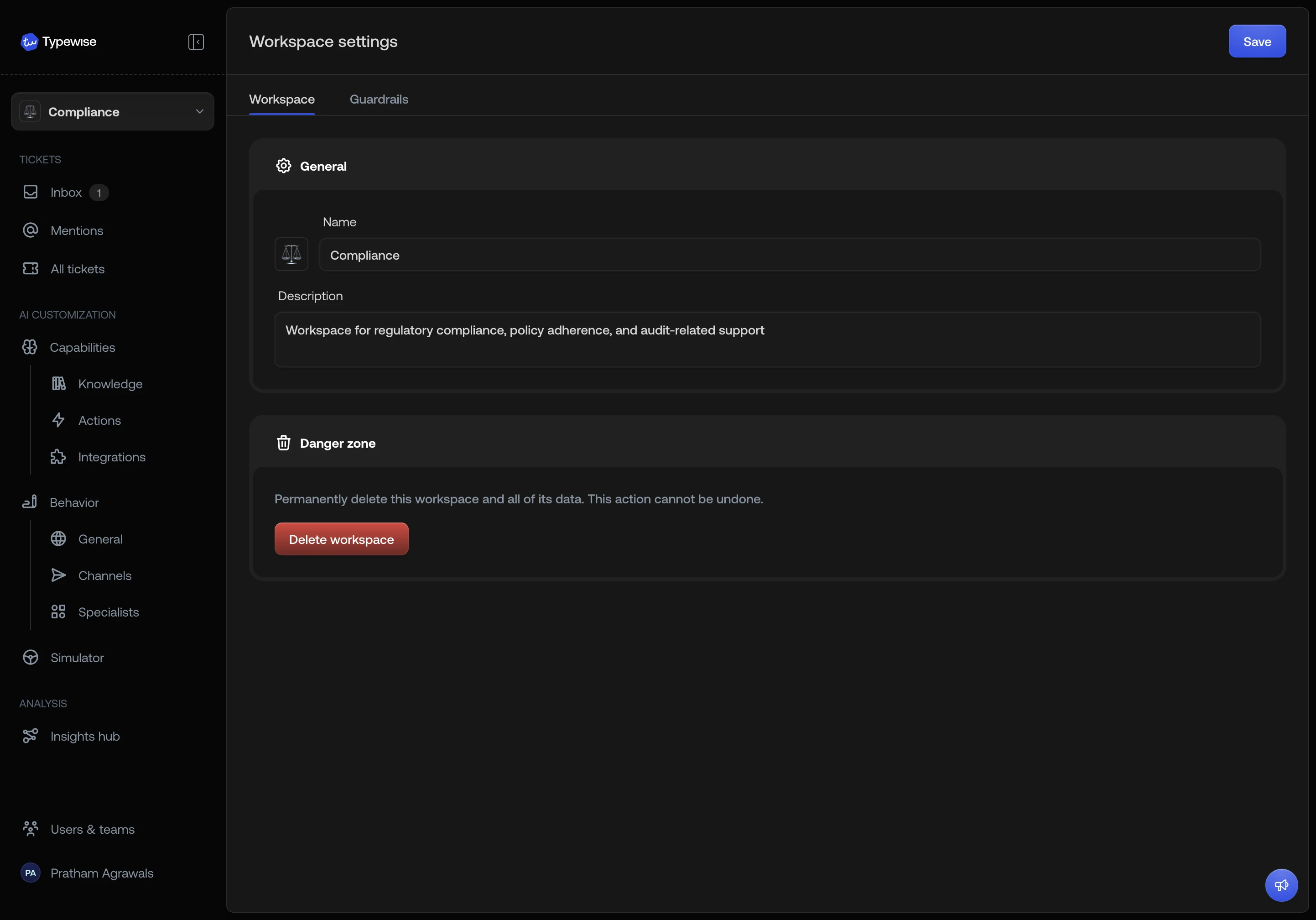
The **General** page lets you update the workspace's name, description, and
avatar.
* **Name**: the display name shown in the workspace selector, ticket filters,
and team cards.
* **Description**: an optional note to help admins identify the workspace's
purpose (e.g., "EU Support" or "Compliance team").
* **Avatar**: choose a color, emoji, or uploaded logo. See
[avatar options](/documentation/workspaces/create-workspace) for details.
Click **Save** to apply your changes.
 ***
## Context Variables
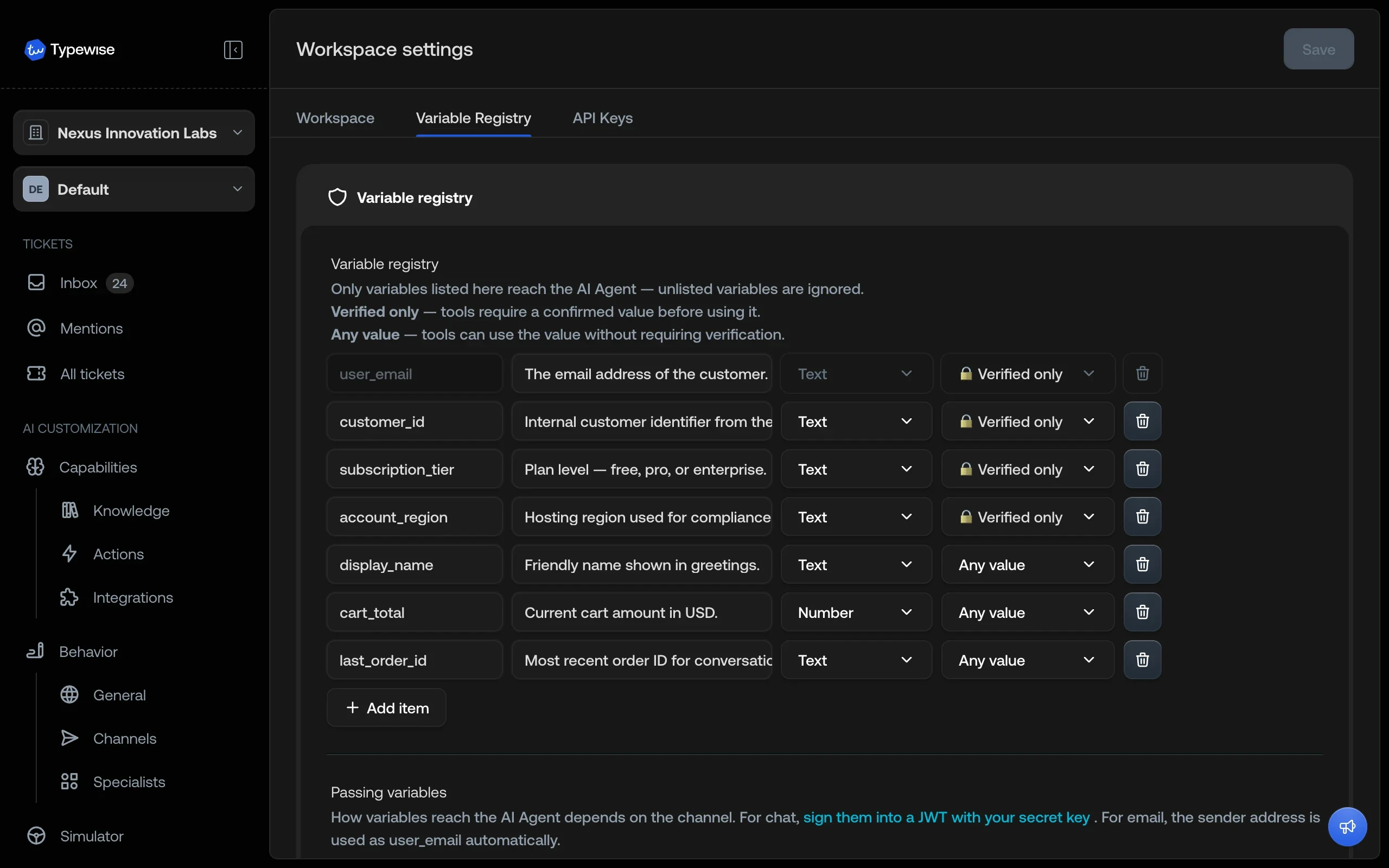
The **Context variables** page lets you declare workspace-specific variables.
Each workspace maintains its own set, so different workspaces can pass different
data through to actions, lookups, and the AI Agent.
For details, see [Context Variables](/documentation/settings/context-variables).
***
## Context Variables
The **Context variables** page lets you declare workspace-specific variables.
Each workspace maintains its own set, so different workspaces can pass different
data through to actions, lookups, and the AI Agent.
For details, see [Context Variables](/documentation/settings/context-variables).
 ***
## Deleting a workspace
The **Danger zone** section at the bottom of the General page lets you
permanently delete a workspace.
The default workspace cannot be deleted. If you need to change which workspace
is the default, contact support.
Deleting a workspace removes all of its configuration (behaviour, channels,
knowledge, actions, specialists, integrations, and Context Variables). Tickets
that belonged to the workspace remain accessible in the shared inbox and All
tickets view.
***
## See also
* [Workspaces overview](/documentation/workspaces/overview): Understand what is
isolated vs shared
* [Create a workspace](/documentation/workspaces/create-workspace): Set up a new
workspace
* [Import resources](/documentation/workspaces/import-resources): Copy resources
between workspaces
***
## Deleting a workspace
The **Danger zone** section at the bottom of the General page lets you
permanently delete a workspace.
The default workspace cannot be deleted. If you need to change which workspace
is the default, contact support.
Deleting a workspace removes all of its configuration (behaviour, channels,
knowledge, actions, specialists, integrations, and Context Variables). Tickets
that belonged to the workspace remain accessible in the shared inbox and All
tickets view.
***
## See also
* [Workspaces overview](/documentation/workspaces/overview): Understand what is
isolated vs shared
* [Create a workspace](/documentation/workspaces/create-workspace): Set up a new
workspace
* [Import resources](/documentation/workspaces/import-resources): Copy resources
between workspaces