

- Systems without API or integration support
- Sensitive tasks requiring human judgment
- Bridging gaps while implementing full integration
How manual actions work
- AI Agent identifies need: During a conversation, it determines a manual action is required
- AI Agent collects information: Gathers required data from the customer
- Request sent to Human Agent: Conversation hands off with a pending action
- Human Agent executes: Performs the action in the external system
- Human Agent confirms: Marks the action complete or rejected
Configure a manual action
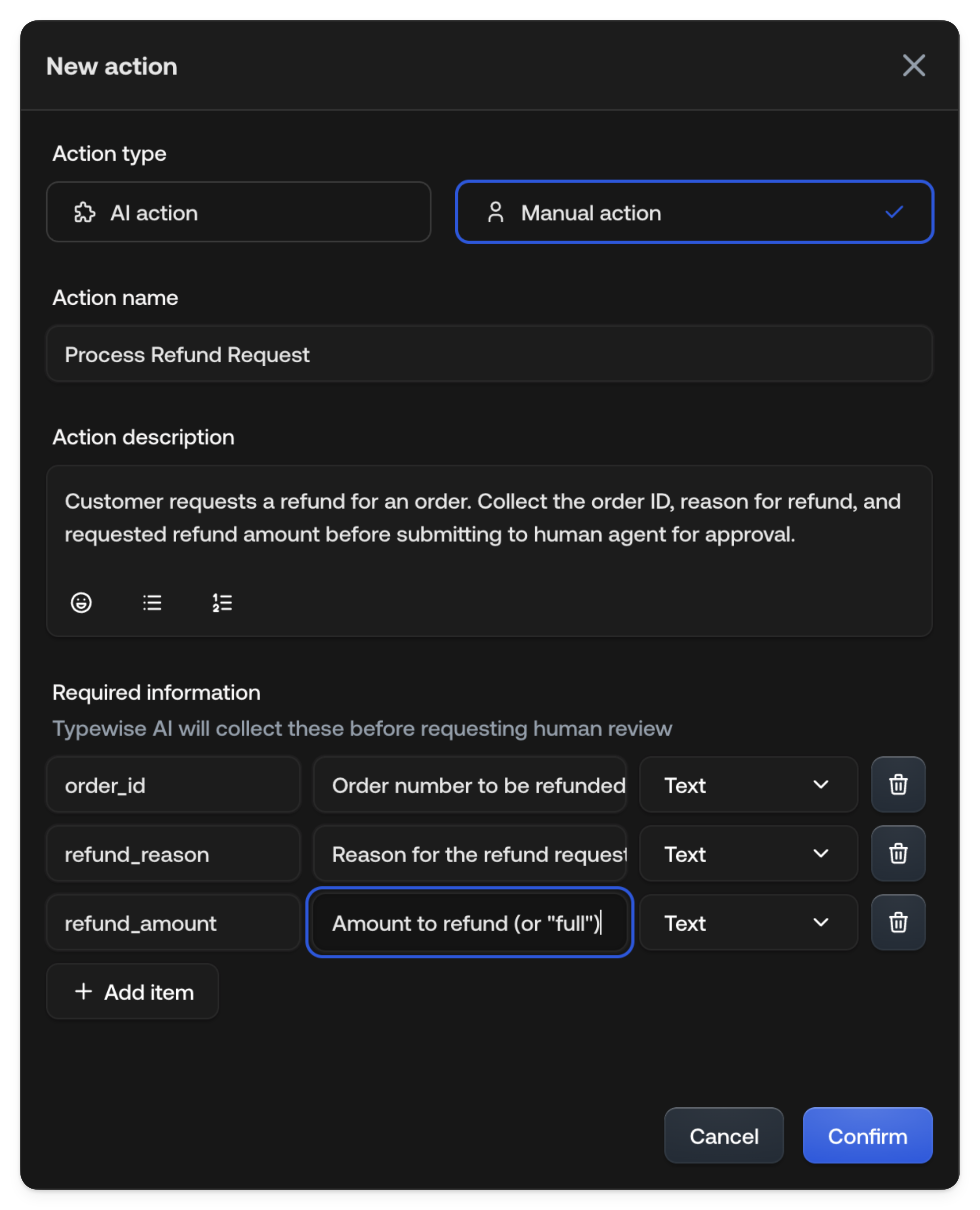
Required information fields
Each field has:- Name: Identifier (e.g.,
order_id,refund_reason) - Description: What to ask the customer
- Type: Text, Number, or Yes/No
Human Agent workflow
When the AI Agent requests a manual action, Human Agents see it in their inbox.View pending actions
The ticket shows:- Action requested (e.g., “Refund Order”)
- Collected information from the customer
- Conversation context
Accept or reject
To accept:1
Review information
Review the collected information.
2
Perform action
Perform the action in your external system.
3
Confirm
Click Accept to confirm. Optionally add a note describing what you did.
1
Click Reject
Click Reject.
2
Provide reason
Provide a reason (helps the AI Agent respond appropriately). The
conversation returns to AI Agent handling with your feedback.
Example: Refund order
Configuration:
Required information:
Human Agent sees:
See also
- AI actions: For automated execution
- Ask a human agent: For one-off requests the AI improvises, with no Actions hub entry behind them