

How Knowledge Works
When the AI Agent processes a ticket, it doesn’t just rely on pre-trained data. Instead, it actively searches through the Knowledge sources you’ve configured to find information relevant to the specific customer inquiry.- Retrieval: The AI analyzes the ticket content and queries your Knowledge Hub for matching information.
- Synthesis: It combines the retrieved information with its general language capabilities to generate a precise, context-aware response or action.
Adding a Knowledge Source
1
Open the Knowledge Hub
Go to Knowledge Hub and click the Add source button in the top right corner.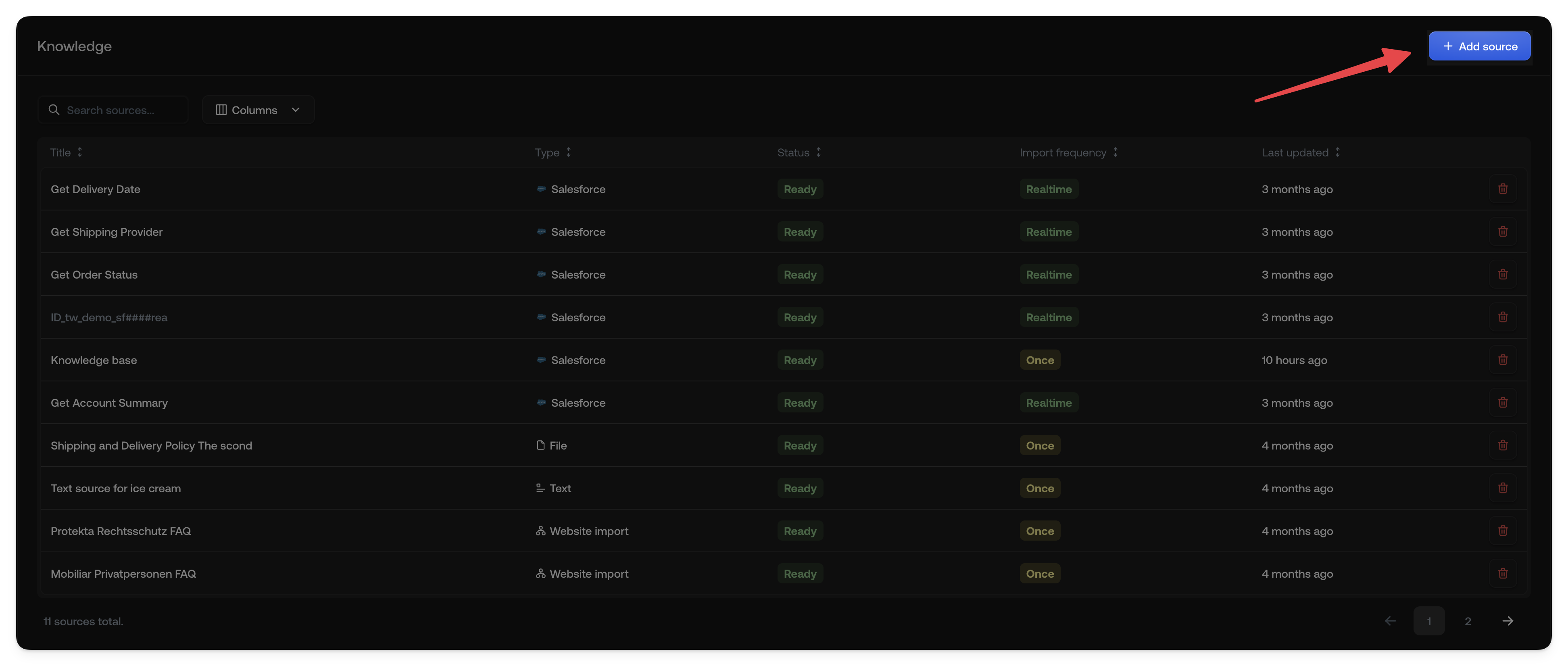
2
Select a source type
Choose the type of knowledge source you want to add. Options include: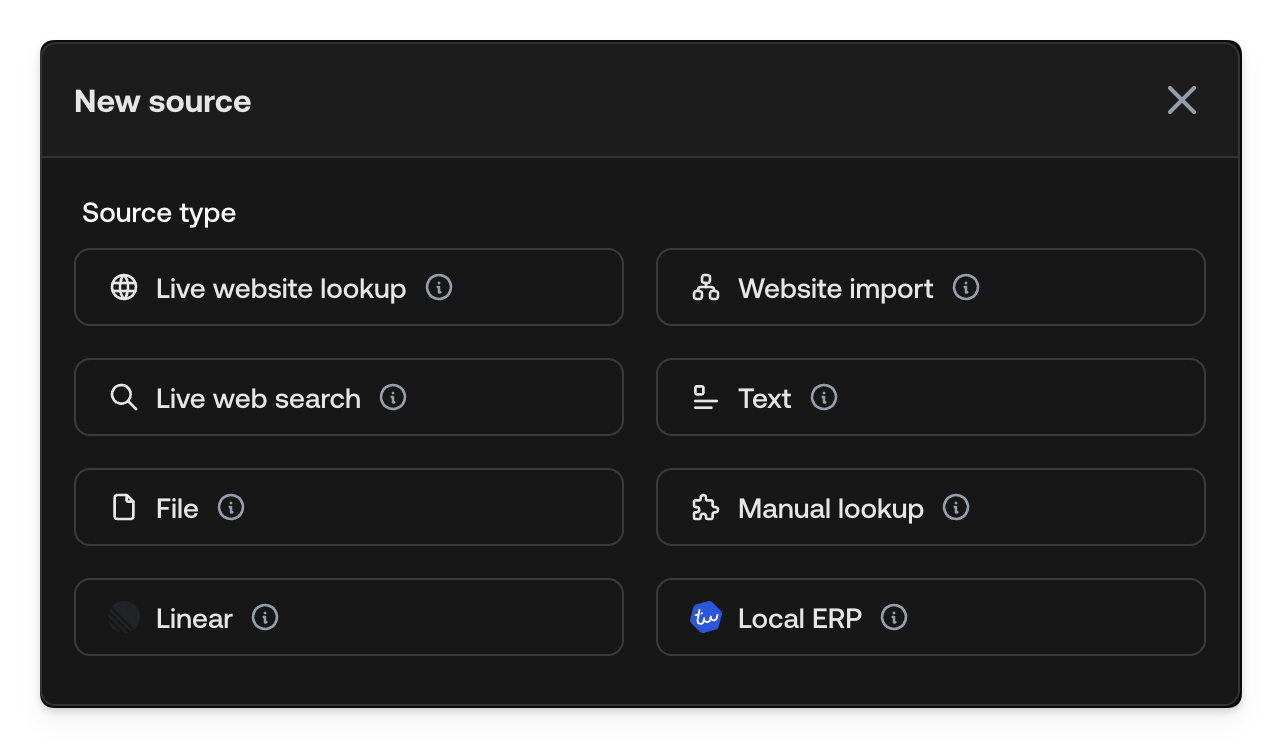
- Live URL fetch: Fetch the latest content from any URL in real time
- Import website: Import and index website content
- Live web search: Search the web dynamically
- Text: Add custom text content directly
- File: Upload documents (PDF, DOCX, etc.)
- Manual lookup: Define human-assisted lookups
- Integrations: Connect external systems like Linear or your ERP
3
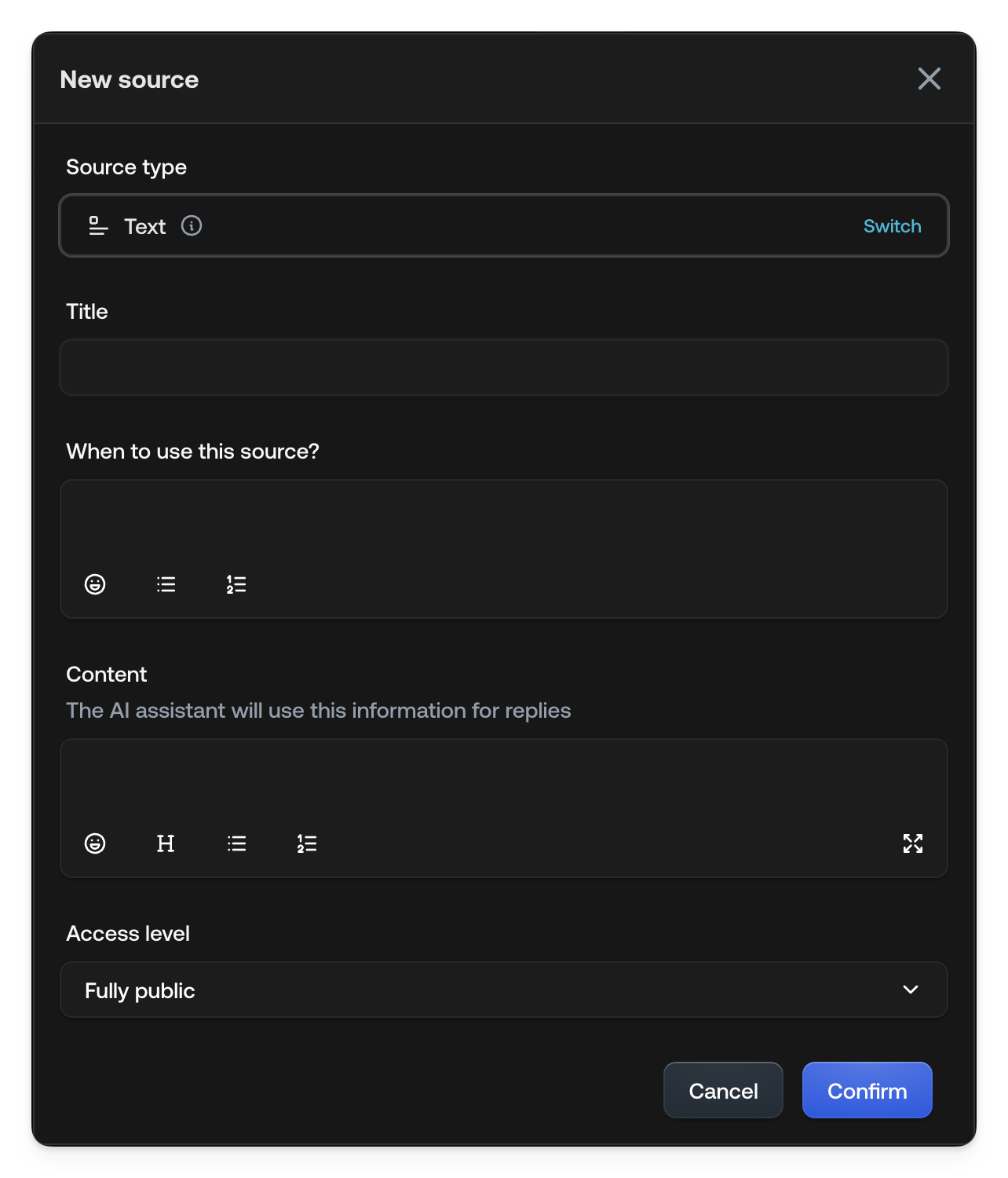
Configure the source
Fill in the required fields:
- Title: A descriptive name for your source
- When to use this source?: Instructions for when the AI should query this source
- Content: The actual information (for text sources)
-
Access level: Control whether the information can be shared with customers
4
Save and activate
Click Confirm to save your knowledge source. It will appear in your Knowledge Hub and be available for the AI to query.
See also
- Text: Add custom text content
- File: Upload documents
- Web sources: Import or query websites
- Access levels: Control data visibility