

On this page
Connect
1
Log in as a Salesforce admin and go to Setup
You need permissions to access Platform Tools on Salesforce in the Setup page.
2
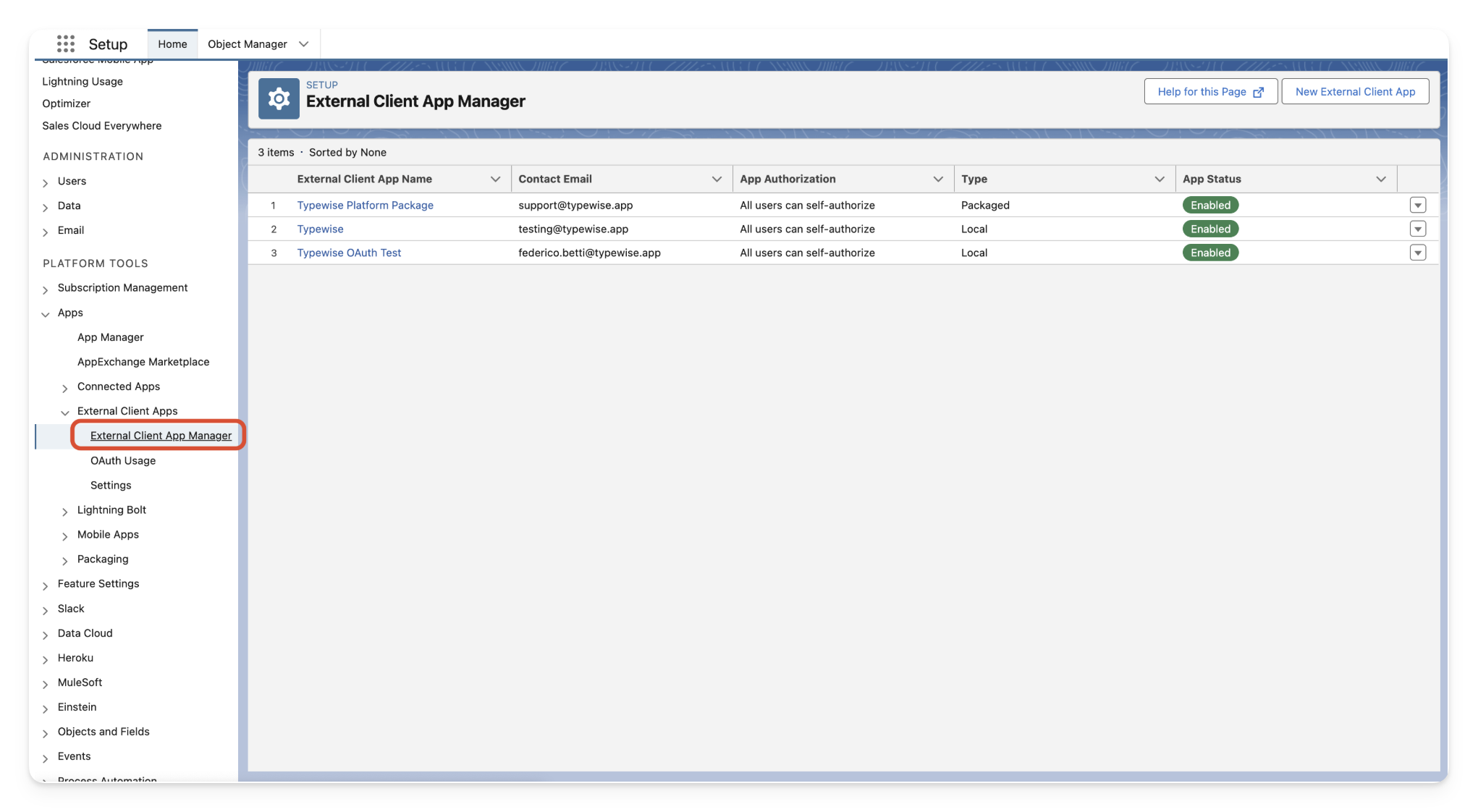
Open External Client App Manager
Navigate to 
Apps → External Client Apps → External Client App Manager3
Create a new External Client App
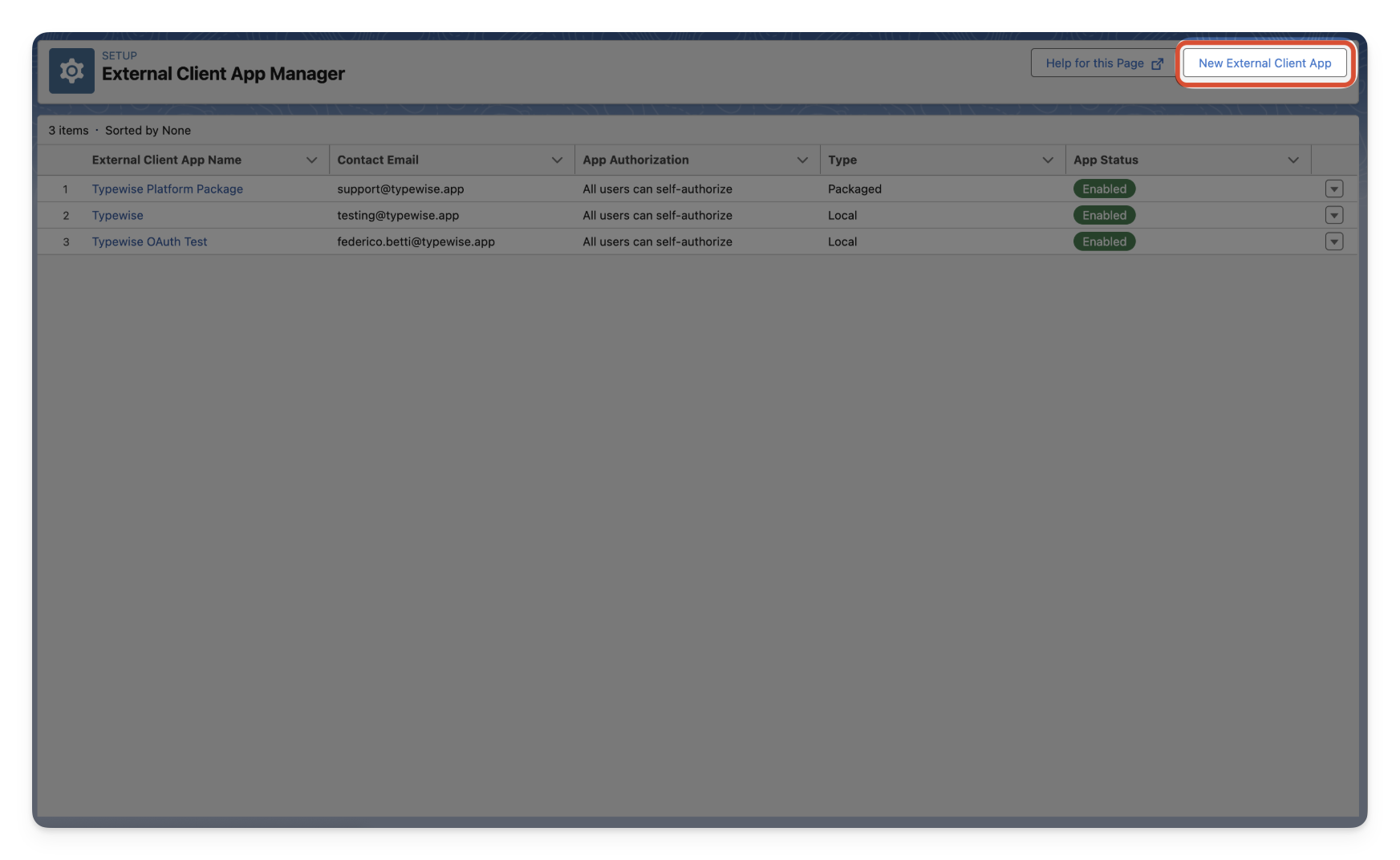
4
Fill out the necessary information
- Enter a Name (for example, “Typewise OAuth”)
- Provide your preferred Email address
- You can leave the rest of the basic information blank
-
Under API →
Enable OAuth - Enter a random callback URL (this won’t be used)
-
Select and add the necessary scopes. Make sure to add the
apiscope. -
Make sure
Enable Client Credentials Flowis selected -
Ensure all other checkboxes are disabled
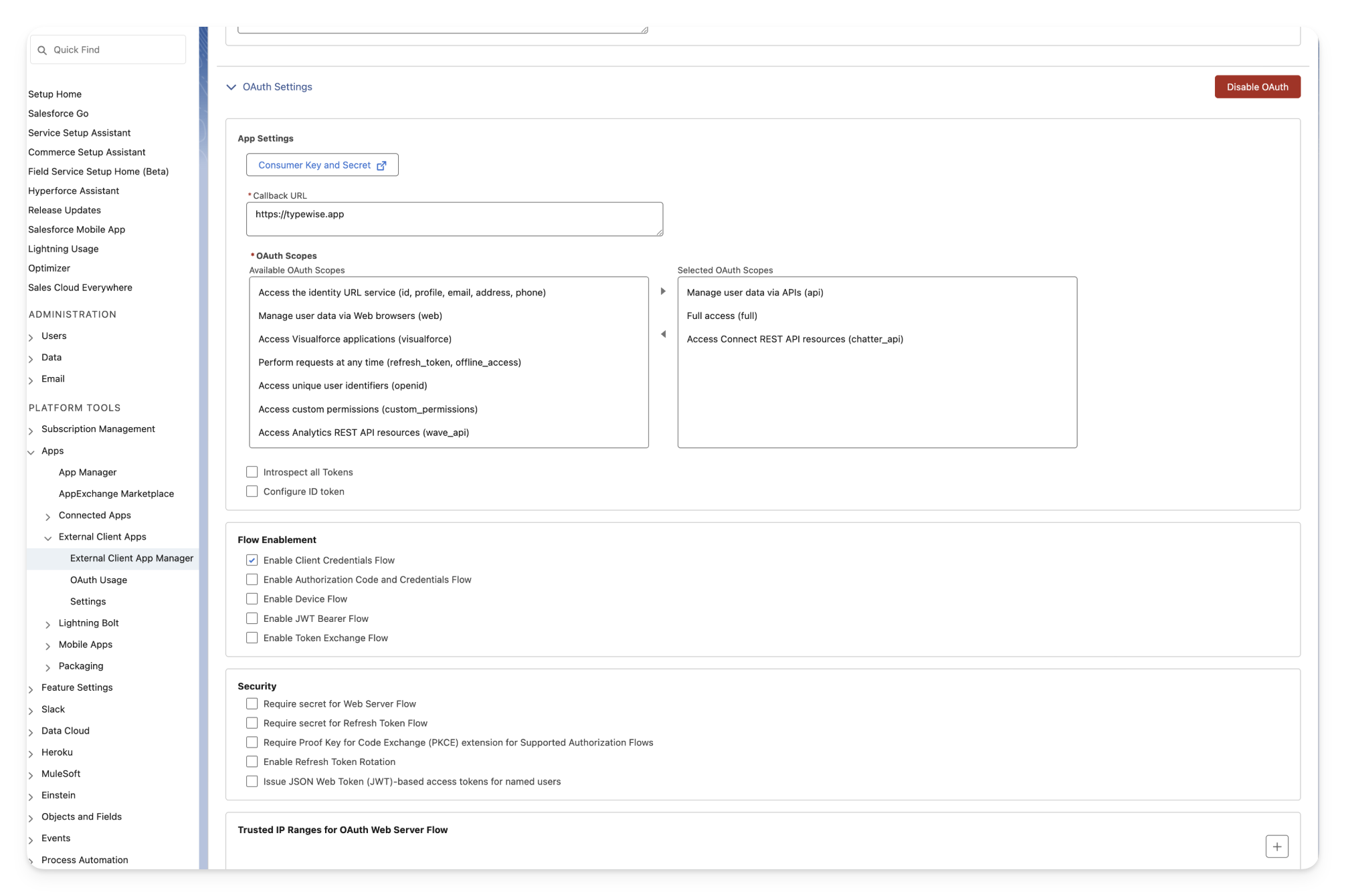
Create to create the client.5
Enable client credentials flow and assign user
After creating the new app:
- Navigate to the newly created app
- Under policies, enable client credentials flow
-
Assign a user to run as (this user will be attributed to all actions/reads performed by this app)
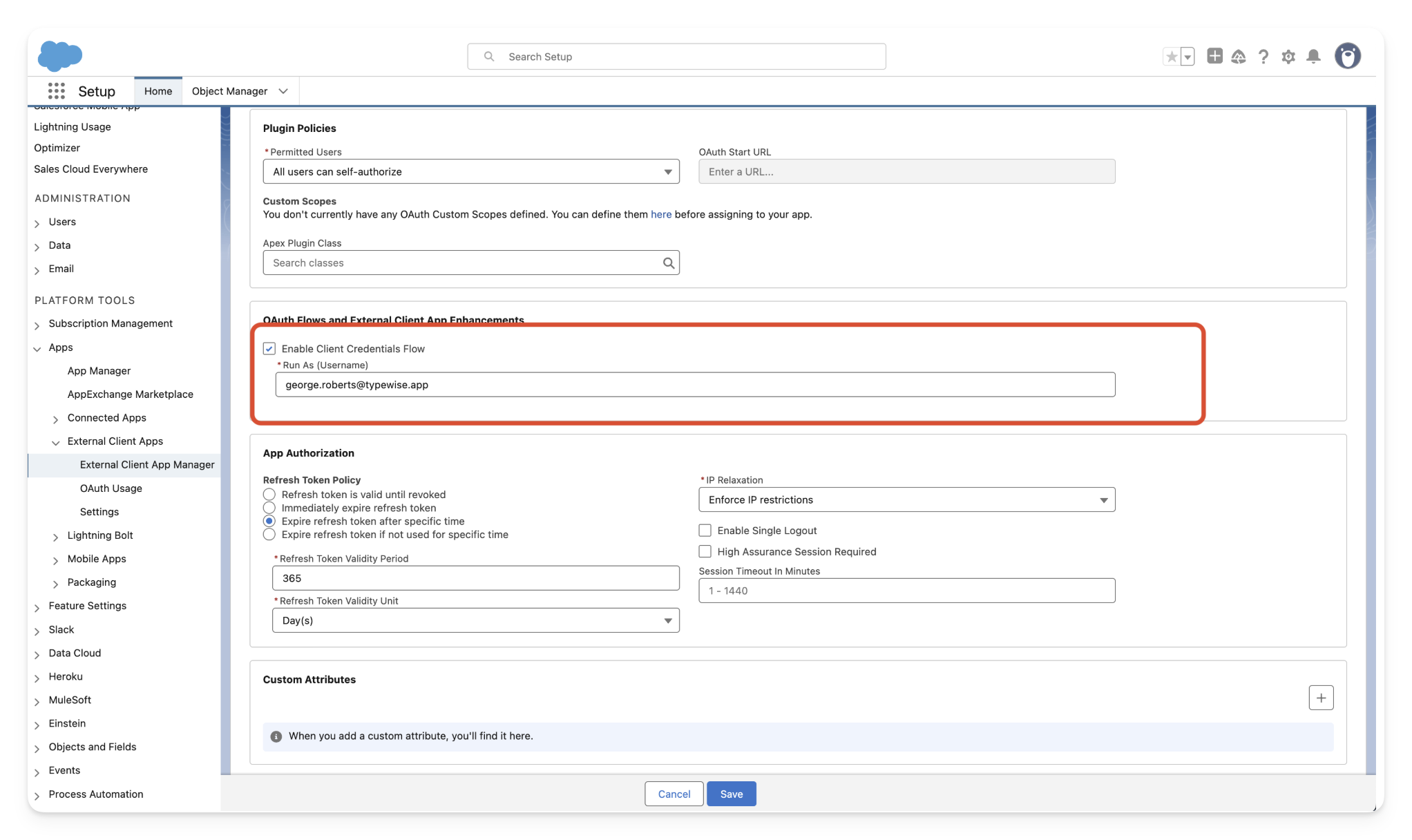
6
View and share the generated credentials
You’ll need the consumer key and secret to enable the integration.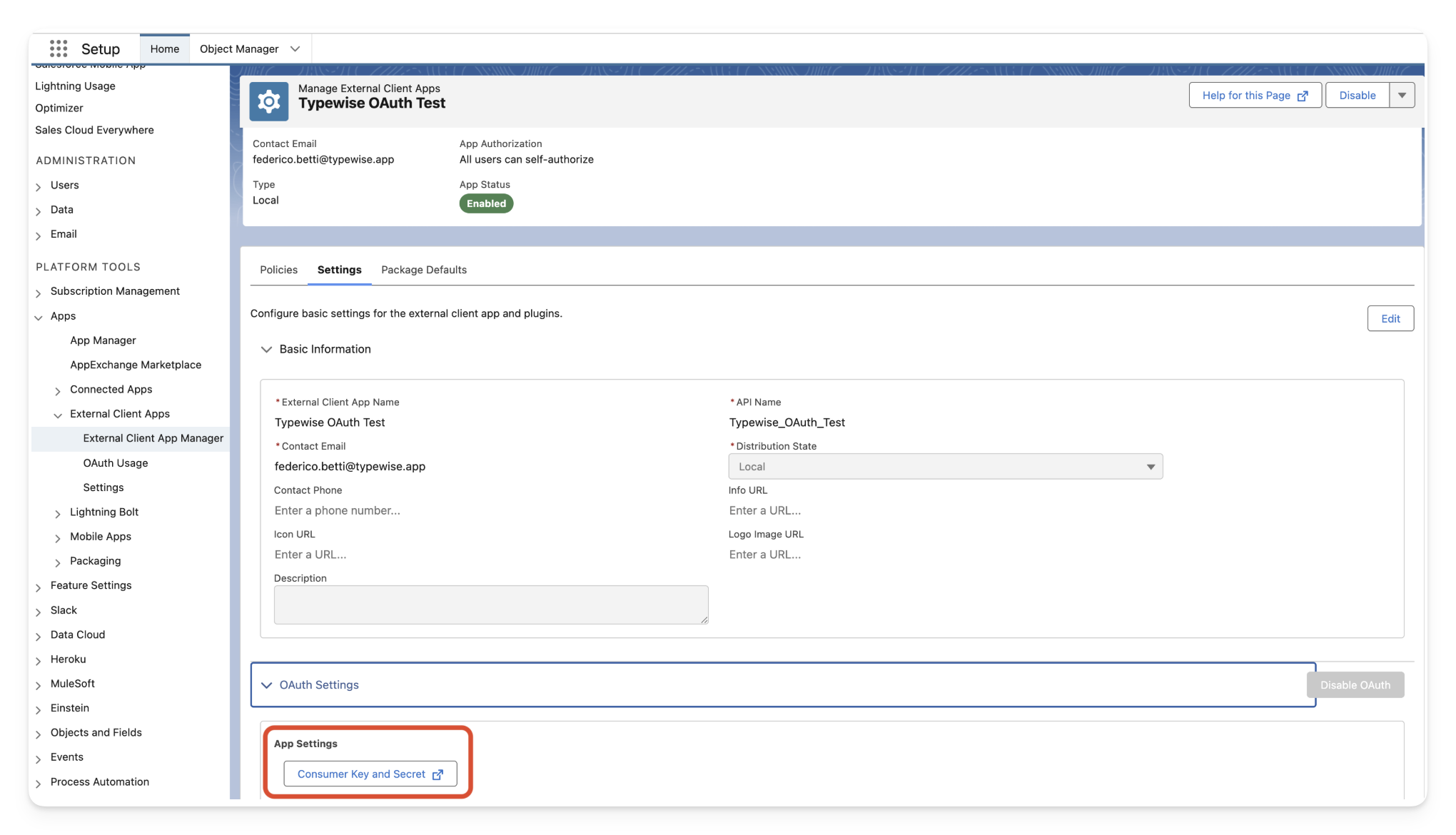
Frequently asked questions
How do I whitelist the Typewise platform if I have IP restrictions in place?
If you have organizational or user login IP restrictions, then you need to whitelist Typewise’s IP addresses to ensure we can authenticate and connect to Salesforce.1
Relax IP restrictions for the OAuth app
Under the newly created app, navigate to policies. Inside the App
Authorization section, make sure IP Relaxation is set to Relax IP
restrictions 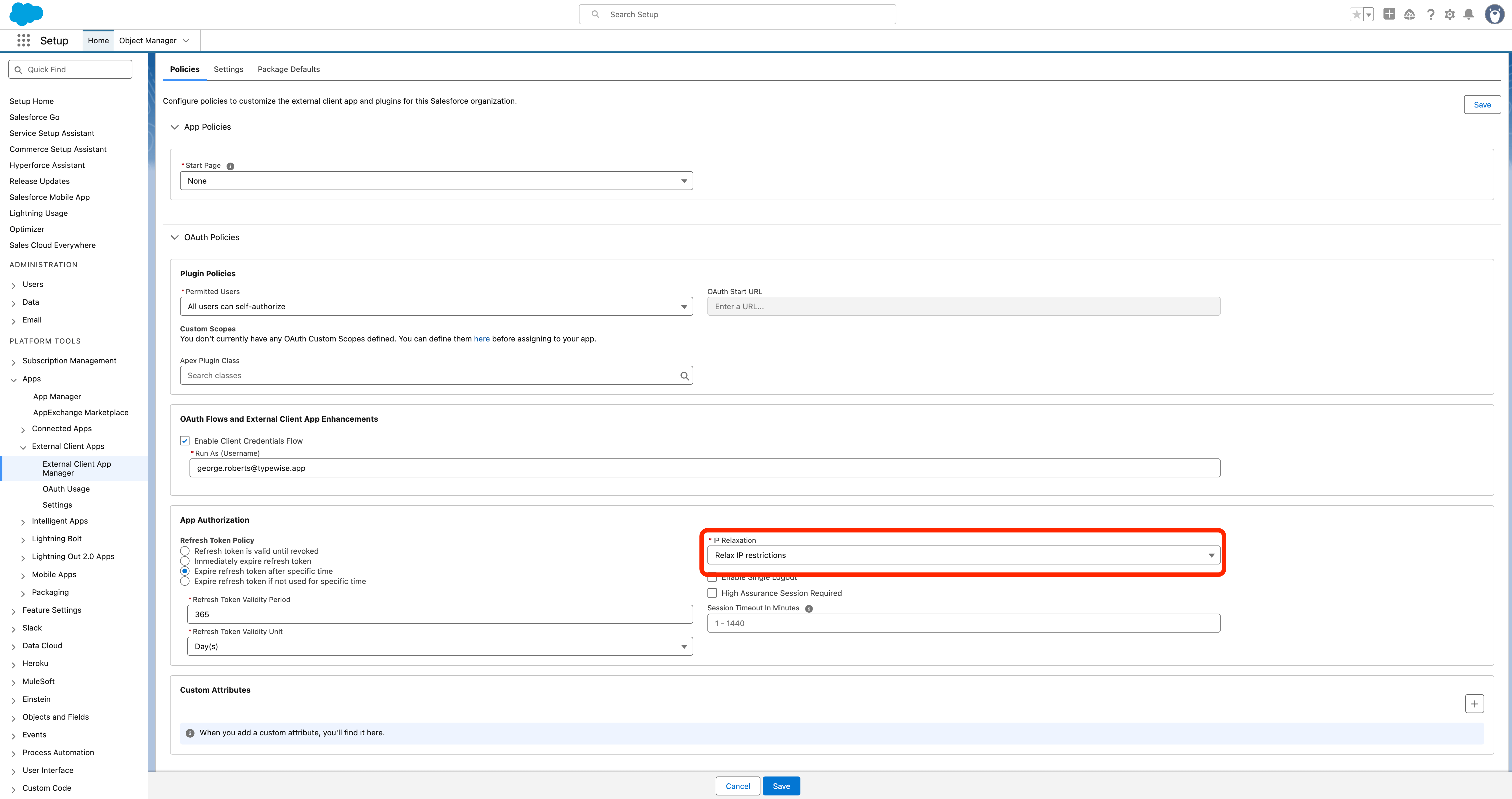
2
Navigate to the user profile
Go to Administration → Users. Click on the Profile assigned to the user that
you selected as the run as user. 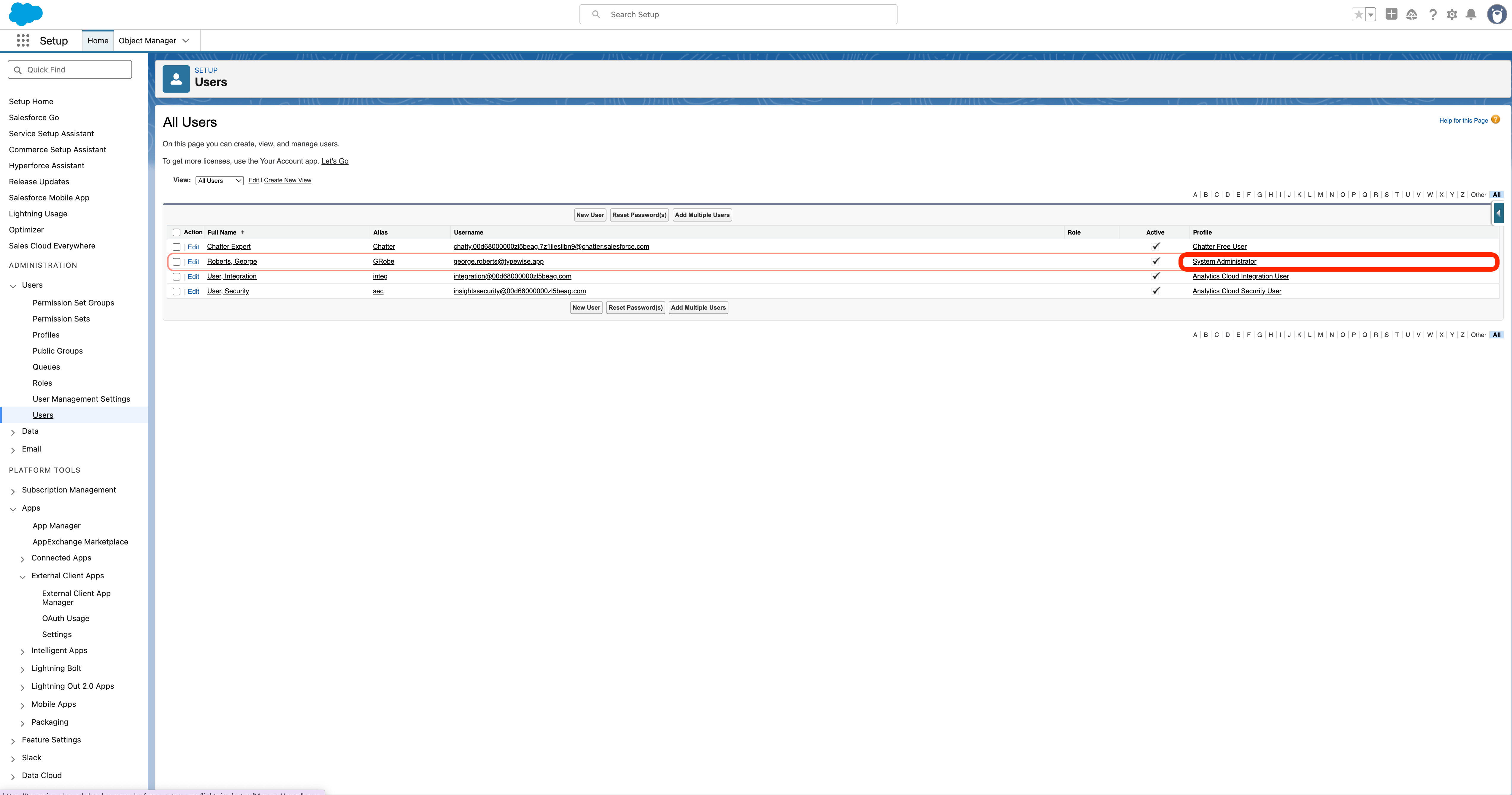
3
Whitelist Typewise IPs
Once the Profile settings open, scroll down to the Login IP Ranges
section.  Add the following IP addresses to the list:
Add the following IP addresses to the list: json 3.69.200.242 3.78.134.40 3.123.85.62 16.63.211.71 16.63.85.45
Supported tools
The following is a selection of commonly used tools available through the Salesforce integration. Additional lookups and actions are available. Contact us if you need a tool that isn’t listed here.Lookups
get_case_by_id
get_case_by_id
Retrieve all fields of a Salesforce case by its ID.
get_case_description_by_id
get_case_description_by_id
Retrieve only the
Description field of a Salesforce case by its ID.get_customer_details
get_customer_details
Retrieve customer details including name, email, phone, and mailing address.
get_all_open_tickets
get_all_open_tickets
Get all open Salesforce cases for a customer (excluding
Closed / Resolved).get_ticket_status
get_ticket_status
Get the status and key information of a Salesforce case.
More lookups available
More lookups available
Additional Salesforce lookup tools are available. Contact us to enable lookups not listed here.
Actions
update_customer_details
update_customer_details
Update a customer’s Salesforce Contact fields. You must provide
user_email and at least one field to update.create_customer_profile
create_customer_profile
Create a new customer profile (Contact) in Salesforce.
write_post_to_ticket
write_post_to_ticket
Write a comment to an existing Salesforce case.
More actions available
More actions available
Additional Salesforce action tools are available. Contact us to enable actions not listed here.