

Hand over a ticket
1
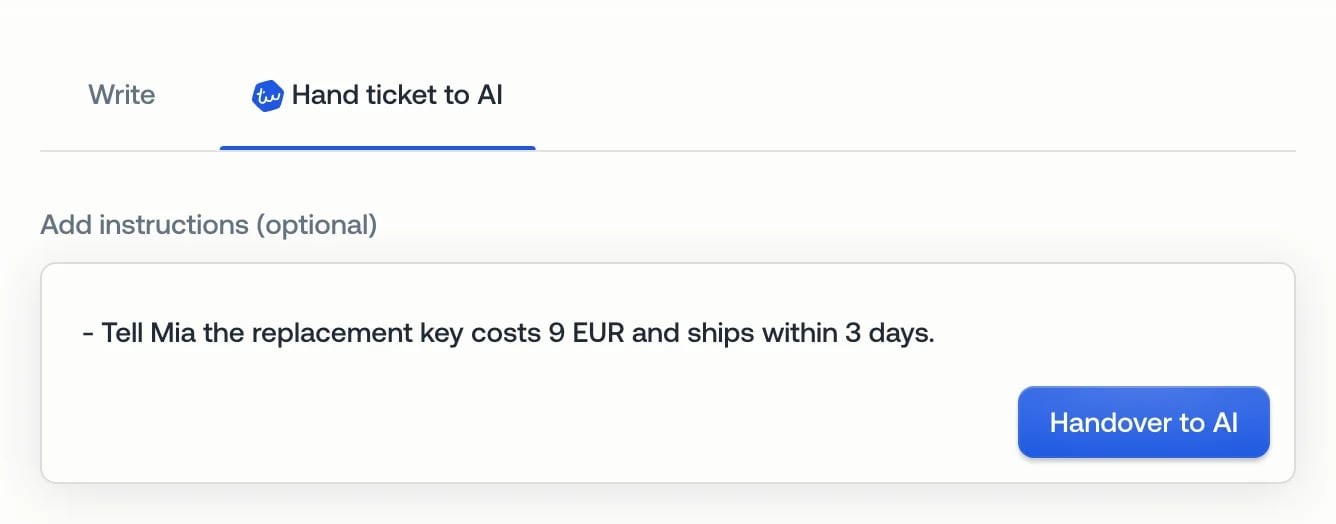
Click Hand ticket to AI
The tab is above the reply box. The AI suggests what it will do next.
2
Check the instructions
Add anything the AI should know, such as a price or a decision you made. You
can also leave the field empty.
3
Click Handover to AI
The AI now owns the ticket. If the customer is waiting, it replies straight
away.
Other ways to hand over
- Assignee list: pick Typewise AI in the ticket details. The same instructions open in a dialog.
- AI Operator (Nova): ask Nova to hand the ticket to the AI. Click Review and hand over on its suggestion, then Handover to AI. Nova never hands a ticket over on its own.
- New email: when you start a conversation, switch on AI replies next. The AI answers the customer’s reply.
When you can’t hand over
You can hand over open tickets that a person owns. Tickets that are with the AI, closed, or snoozed can’t be handed over.Related
- Ticket conversation: the handover in the timeline, and retrying a failed AI run
- Ask a human agent: how the AI asks your team for help without handing the ticket over